Audio compression
AudioSlim audio compressor for Android helps users reduce audio size, compress MP3 files, and prepare cleaner files for sharing.
 Kebek Interactive

Kebek Interactive Android compression apps
Use premium Android compression apps to reduce audio size, reduce video size, compress MP3 files, and keep media easy to share without losing control of the workflow.
What Kebek Interactive builds
Kebek Interactive designs focused file compression apps for everyday media problems: audio that is too large to send, videos that take too long to upload, and mobile workflows that need to stay simple.
AudioSlim audio compressor for Android helps users reduce audio size, compress MP3 files, and prepare cleaner files for sharing.
The VideoSlim video compressor app reduces video size before upload, storage, or messaging, and is available now on Google Play.
Each app keeps the main action visible, fast, and understandable on Android devices.

Available on Google Play
AudioSlim is an Android audio compressor for people who need smaller voice notes, music drafts, podcasts, lessons, and shareable sound files.
Compress audio files locally before sending them by chat, email, or cloud upload.
Use focused audio settings for smaller files while keeping the result practical to listen to.
AudioSlim is designed around quick mobile audio compression, previews, and file handling.
Creative AudioSlim tools
AudioSlim is built for more than shrinking files. It gives Android users an easy way to make custom ringtones and use an audio mixer before exporting a polished, share-ready sound file.
Trim the best moment, shape the start and ending with fades, keep the file light, and personalize your Android phone with a ringtone that sounds intentional.
Ringtone guideUse the audio mixer to combine and shape sound before export, then compress the result for sharing, storage, or a more personalized Android audio workflow.
Explore AudioSlim toolsEverything AudioSlim can do
AudioSlim is more than a file-size tool. It brings together smart compression presets, MP3 compression, audio trimming, gain and fade control, speed changes, voice optimization, denoise tools, previews, batch workflows, file management, and share-ready exports in one Android app.
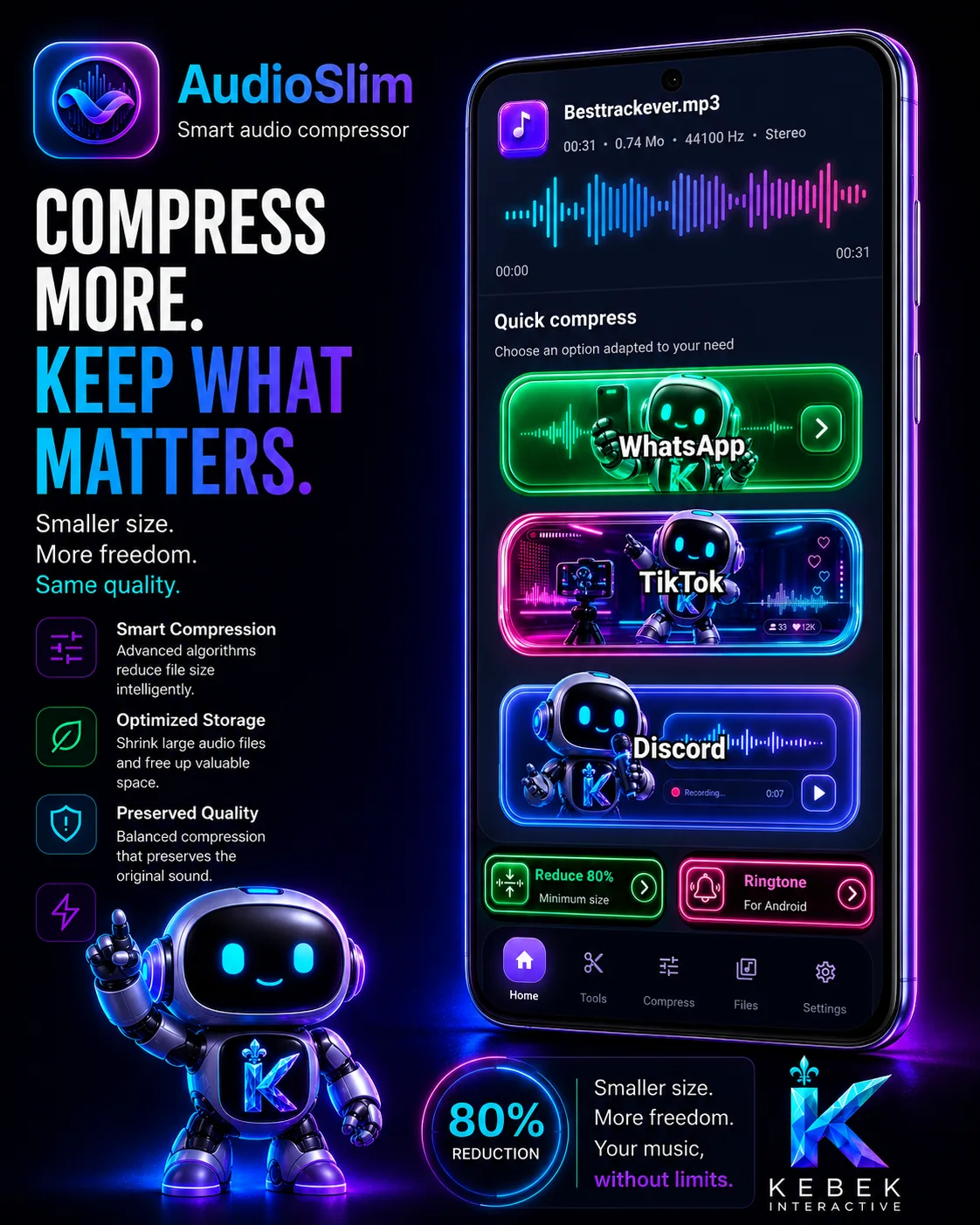
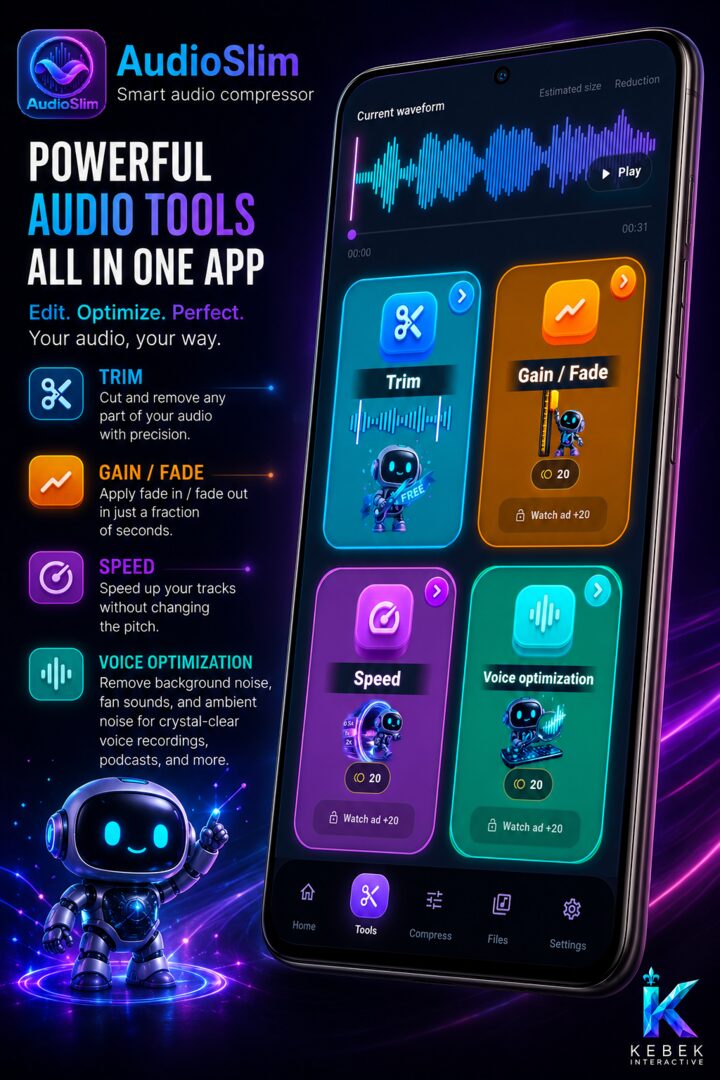
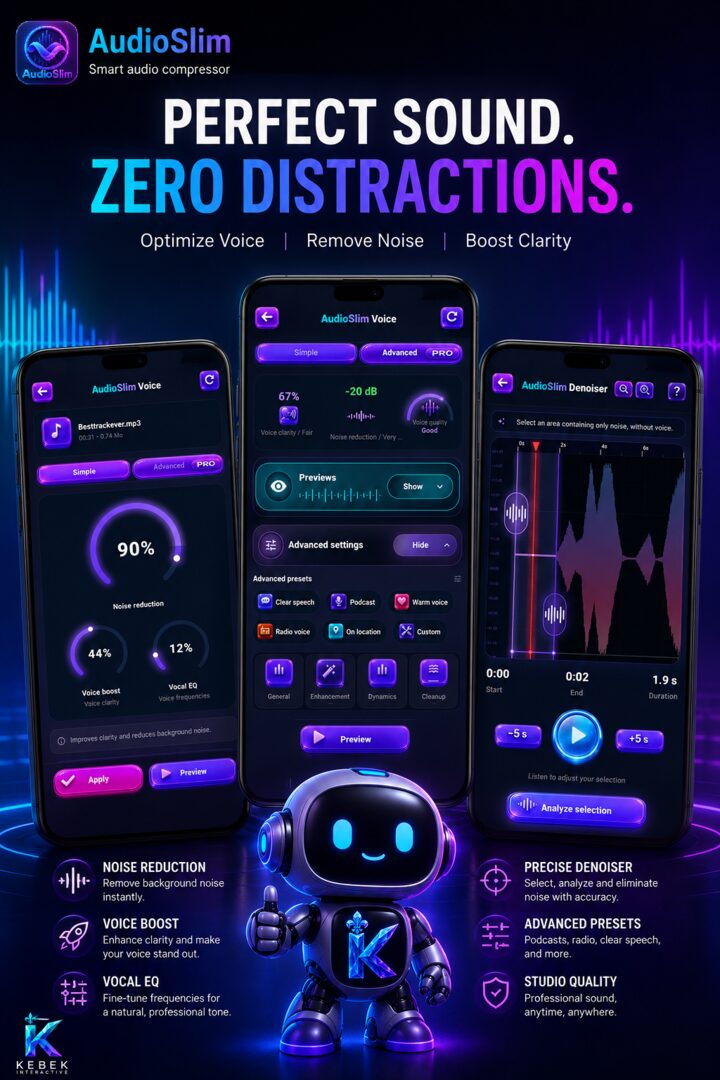

Use AudioSlim as an Android audio compressor for voice notes, lessons, music drafts, interviews, and recordings that need to become easier to store or send.

Reduce MP3 size with practical settings for bitrate, quality, and output size. For MP3-specific guidance, visit the AudioSlim MP3 compressor page.

Pick focused presets for WhatsApp, TikTok, Discord, ringtones, HQ music, or ultra light files. Start with guides for WhatsApp audio and Discord audio.

Compare the original and compressed audio before finishing so the file is smaller without losing sight of what it should sound like.

Prepare multiple files through a batch-friendly workflow when you need to reduce audio size across several recordings or drafts.

Remove silence, cut unwanted sections, zoom into the waveform, preview the selection, and keep only the part worth sharing.

Fine-tune gain, fades, speed, and enhancement settings when an audio file needs polish before compression or sharing.

Use voice optimization, vocal EQ, clarity tools, denoise previews, and advanced presets for podcasts, radio voice, clear speech, and on-location recordings.

Keep compressed audio organized, preview completed exports, clear old files, and send smaller MP3s anywhere in seconds.
Available on Google Play
The video is too big to send. VideoSlim gets it under the limit on your phone: choose the size you need, see the result before you save it, then send the file. Nothing is uploaded to us.
Give VideoSlim a target size and it works out the settings for you.
Trim the parts you do not need, so only the footage you keep costs you space.
Video is processed on your device. Kebek Interactive never receives your files.

Main use cases
Audio and video files get large quickly. Kebek Interactive builds tools for the moments when a file is useful, but the size gets in the way.
Reduce audio size for class notes, interviews, podcast drafts, and long voice messages.
Reduce MP3 file size and make other audio files easier to move while keeping control over the output.
VideoSlim shrinks clips that are too large to upload or send, including cases like compressing a video for Messenger.
Smaller media files help keep everyday devices lighter without deleting everything.
Why compression matters
A clean audio compressor or video compressor saves time when apps reject large attachments, uploads stall, mobile data is limited, or storage fills up at the wrong moment. The goal is not just smaller files. It is less friction between creating media and actually using it, whether you need to compress audio for WhatsApp or compress video for Discord.
FAQ
Short answers for people comparing file compression apps or looking for a focused Android audio compressor.
Kebek Interactive builds focused mobile file compression apps, starting with AudioSlim for audio compression and continuing with VideoSlim for video compression.
Yes. AudioSlim is an Android audio compressor that helps reduce audio size, compress MP3 files, preview results, and manage audio files locally on your device.
AudioSlim can compress audio, reduce MP3 size, use sharing presets, preview compressed results, batch files, trim audio, mix audio, adjust gain and fades, change speed, optimize voice, reduce noise, manage compressed files, personalize Android ringtones, and prepare share-ready exports.
Yes. AudioSlim helps you trim a strong audio moment, add fades, compress the result, and prepare a lightweight file that is easier to use as a personalized Android ringtone.
Yes. AudioSlim includes an audio mixer workflow for combining and shaping audio before export, then compressing the finished file for sharing or storage.
Yes. VideoSlim is available on Google Play. It compresses video to a target size on your Android device, with trimming and editing before you compress, and it processes your files locally.
Original audio and video files can be too large for messages, email, storage, or upload limits. A compression app helps make the file easier to share while keeping the workflow simple.
Support and contact
Visit this site for AudioSlim support, privacy information, terms, resources, open source notices, and official Kebek Interactive updates.